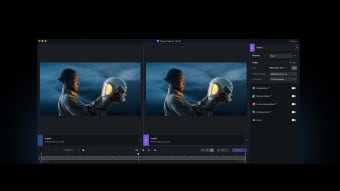
Transform Your Videos with Topaz Video AI
Topaz Video AI, developed by Topaz Labs, is an advanced AI-powered video enhancement tool built for editors who need professional-grade upscaling, denoising, and stabilization. Designed for both beginners and experienced users, it tackles common issues like grainy footage, motion blur, and low-resolution video. Its clean interface makes it approachable, while its deep customization options appeal to power users handling demanding post-production work.
Top Recommended Alternative

Designed for Clarity and Precision
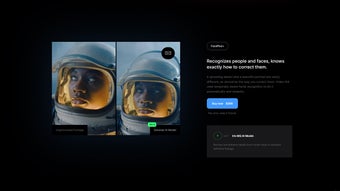
A standout feature of Topaz Video AI is its intelligent noise-reduction system, which removes visual artifacts while preserving natural detail. Its frame interpolation engine—powered by AI models such as Apollo and Chronos—creates fluid motion for slow-motion effects or smoother playback. Users can also deinterlace legacy footage or restore telecined video, making the software suitable for both archival and creative projects.
Advanced Features for Serious Enhancement
The app supports upscaling up to 8K, sharpening, denoising, and motion stabilization, along with export flexibility across multiple formats and codecs. Presets help beginners achieve quality results quickly, while manual controls let advanced users fine-tune every detail. The stabilization module helps reduce shake and jitter, though heavy processing tasks can be time-consuming. Batch processing is available for editors working with multiple clips.
Performance and Hardware Requirements
As a GPU-accelerated program, Topaz Video AI demands substantial system resources. A modern multi-core CPU, dedicated graphics card, and at least 16 GB of RAM (32 GB recommended) are essential for smooth rendering. Processing 4K or higher footage can be slow on weaker systems, but the software’s ability to run locally without cloud uploads ensures privacy and full control over project files.
Sophisticated and Effective
Topaz Video AI stands out as a sophisticated solution for enhancing and restoring video content. Its AI-driven upscaling, denoising, and frame interpolation deliver professional-quality results when paired with capable hardware. While the steep resource demand may deter casual users, those serious about post-production will find it a reliable ally for transforming footage with precision and clarity.